Capture buyers at the show. Sell to them afterward.
ClubPull is card-show vendor software for turning booth traffic into permission-based customer relationships. Give collectors a reason to scan, preserve the event source in your CRM, follow up while the conversation is recognizable, and send them to a storefront you own after the table closes.
Free to set up. Founding Seller $99/mo when you activate your subscription. Publish separately when ready. 0% ClubPull transaction fees; Stripe and provider costs separate.
Updated 2026-10-26
Choose the right workflow
Use ClubPull to keep the customer relationship after the show.
Choose ClubPull when your goal is collector QR signup, customer records, email follow-up, wallet loyalty, and a store for your own audience. A standalone email tool can suit a simple newsletter list. A dedicated POS or card scanner serves a different job: taking in-person payments, identifying cards, and recording table sales.
ClubPull does not supply marketplace traffic or replace offline POS, card scanning, or external marketplace inventory synchronization. Reconcile show sales before listing the same physical item online. See the 90-second product walkthrough before choosing your setup.
From the booth to your store
Prepare the next step before the first collector scans.
- Build your seller workspace. Create an account, add inventory and branding, connect payments, and complete the launch requirements. Setup is free. Activate your subscription when ready, then confirm publication separately.
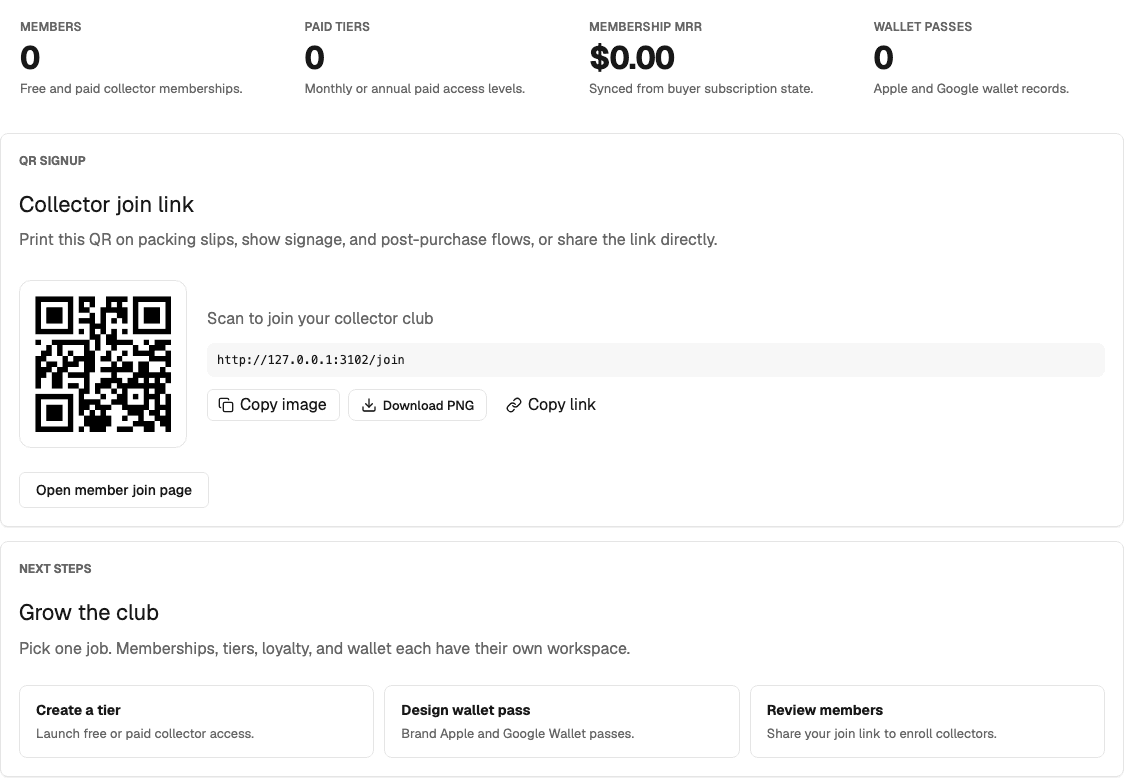
- Prepare your join link. Open Memberships to get your collector join QR. Test the destination and consent choices on a phone, then print it with a clear reason to scan.
- Capture interest at the booth. Explain what collectors will receive. Keep recurring marketing consent separate from membership or a requested resource, and record the show source consistently.
- Reconcile and follow up. Confirm available inventory after pack-out. Prepare a relevant campaign for the opted-in audience and link to the collection they discussed.
Use the printable vendor checklist and customer-capture guide to assign each step.
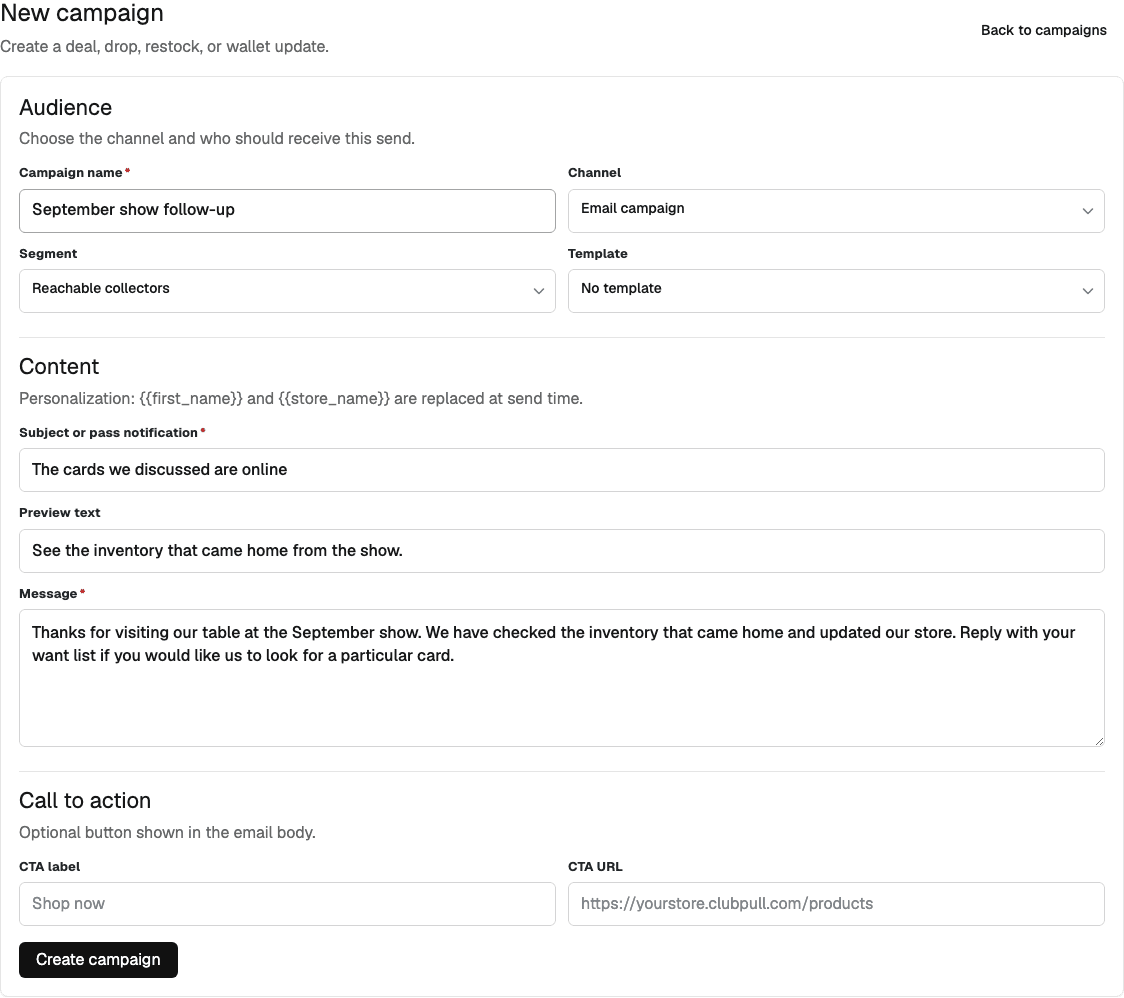
Start with copy-ready follow-up emails. Use the vendor CRM guide to keep context, consent, and the next action clear.
Know the costs and setup requirements.
Founding Seller is $99/month when you activate your subscription, with 0% ClubPull transaction fees. Stripe processing, shipping, and other provider costs are separate. Review current pricing and plan details before subscribing. A subscription payment does not publish your store.
ClubPull supports a seller-owned storefront and customer workflow. You supply the inventory, bring the audience, and manage fulfillment. It does not provide a marketplace audience, replace live auction rooms, or promise a specific sales result.
Publishing requires completed onboarding and payment readiness. Test connectivity at the venue; do not assume offline checkout or an in-person card-reader integration is available. Email and wallet delivery depend on consent, account configuration, and provider readiness.
Measure the event using the profit calculator and your actual customer records. A scan or an email address alone is not revenue.
Operating note
A practical operating note
Prepare the QR destination and first follow-up before travel day. At a busy booth, any task without a clear owner and check time is easy to lose between sales, trades, and inventory questions.
Why ClubPull
One connected path from booth conversation to repeat customer.
Capture booth traffic with QR signup
Use QR links on cases, signage, slab stickers, and receipts so collectors join your list with consent and source tracking.
Follow up after the show
Show follow-up automations, deal blasts, and wallet pass updates bring offline buyers back for the next drop or restock.
Sell what did not move at the table
Move remaining inventory to a hosted storefront with checkout, coupons, and shipping instead of letting it sit unsold.
Know who came from the floor
CRM source tracking ties show signups, orders, memberships, and campaign activity to one seller-owned customer record.
Set a capture goal before doors open
Work backward from expected qualified booth traffic, how often the offer will be presented, and a realistic completion rate so the team has an operating target—not a wish.
Measure the whole show return
Keep same-day revenue separate from later purchases by show-origin customers, then compare both with inventory cost, table fees, travel, processing, supplies, and labor.
FAQ
Common questions.
How do show vendors capture leads at a card show?
ClubPull provides QR signup links for memberships and email consent, plus wallet pass enrollment so collectors stay reachable after the event.
Can show vendors run post-event email campaigns?
Yes. Opted-in segments support show follow-up, deal blasts, restock alerts, and member-only notices after the event ends.
Do show vendors need a full storefront on day one?
The collector join link requires a published storefront. Prepare inventory, branding, payments, and required onboarding first, then test QR signup before taking it to the show.
Can each show have its own customer-source tag?
Yes. Use an event-specific QR destination or campaign parameter so signups and later orders can be connected to the show that introduced the buyer.
Should a QR scan automatically opt someone into marketing?
No. The signup should explain what the collector is requesting, and recurring promotional consent should be explicit. ClubPull keeps consent and unsubscribe state with the customer record.
Does ClubPull replace an offline POS or card scanner?
No. ClubPull connects your online store, collector capture, CRM, and loyalty. Do not assume offline checkout, card-scanning, or native inventory sync to an external POS or marketplace. Reconcile physical stock before selling the same item online.
Keep the relationship
Give your next show a customer path that continues after pack-out.
Create the storefront first, then connect QR capture, CRM, follow-up, membership, and loyalty during onboarding.